

Buying Guide
Table Tennis Robot Buying Guide (2026)
A table tennis robot is the one training partner that never tires of feeding the same ball, and the current generation adds app-built drills, spin that changes ball to ball, and recovery nets that end the pick-up problem. This guide is for players, parents, and clubs choosing a robot. We cover the three formats (portable, clamp-on, floor-standing), what spin, speed, and frequency figures mean, oscillation, hoppers and recycling, controllers, power and space, cost, and how the three PONGBOT robots we carry fit different players.

Three formats: portable, clamp-on, and floor-standing
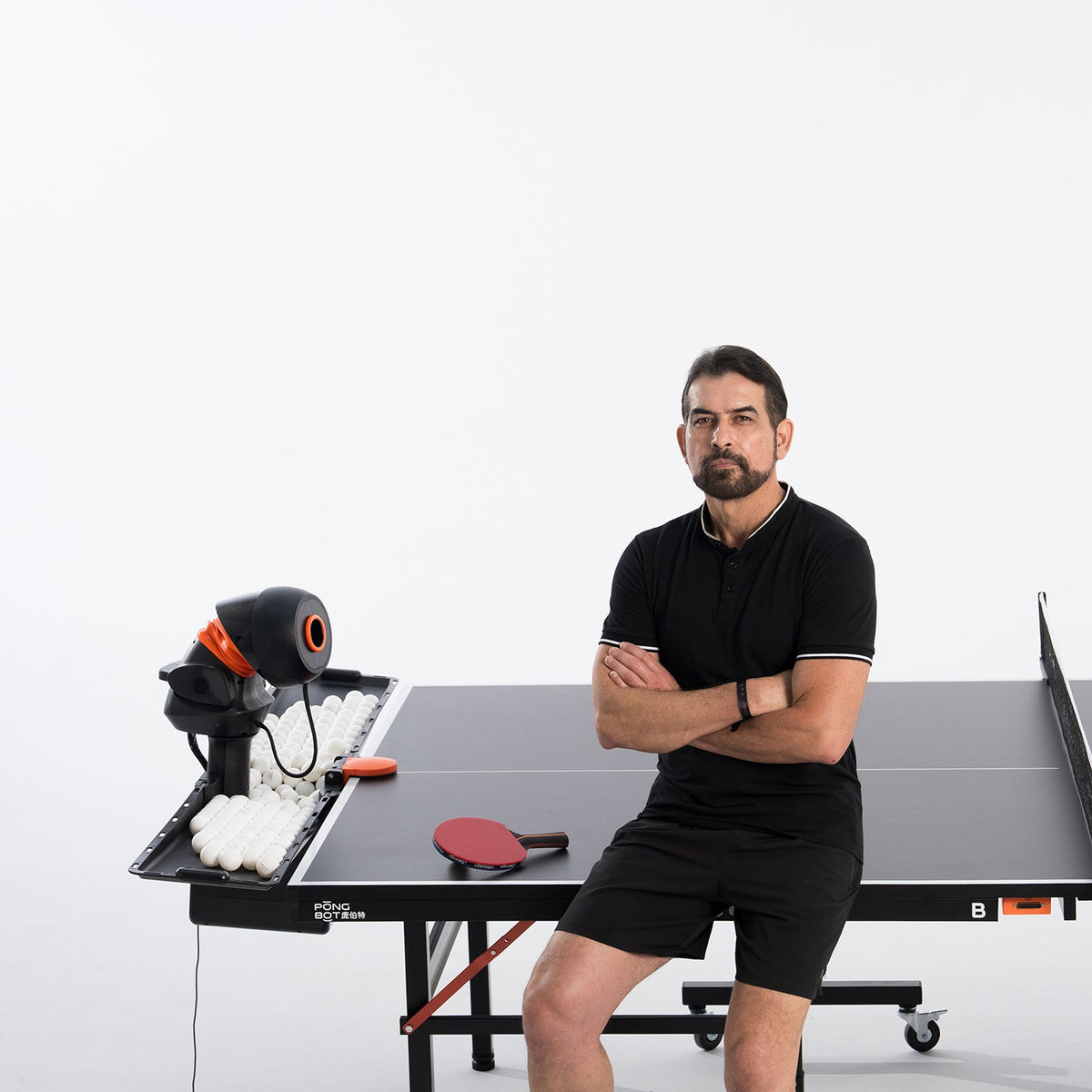
A table tennis robot is a serving head with a hopper, and the first decision is where that head sits. A portable robot stands on the table surface itself: light enough for a backpack, quick to set up, and movable to any position, including right at the net for short-ball and serve-return practice. The PONGBOT Nova S Pro is this format at 4 kg. A clamp-on robot fixes to the end of the table, which makes room for a bigger hopper and a recovery net that catches your returns and recycles them into the machine; the PONGBOT Omni S Pro is the clamp-on model. A floor-standing robot rolls beside the table on its own stand, so it can serve from the center of the baseline or from either side; the PONGBOT Halo S Pro takes this form at 11 kg.
Format decides the training you get. The portable robot wins on flexibility and price and asks you to position it by hand; the fixed formats add automatic oscillation, ball recycling, and a dedicated touchscreen controller, and the floor stand adds angles a table-mounted robot cannot reach.
Spin, speed, and frequency
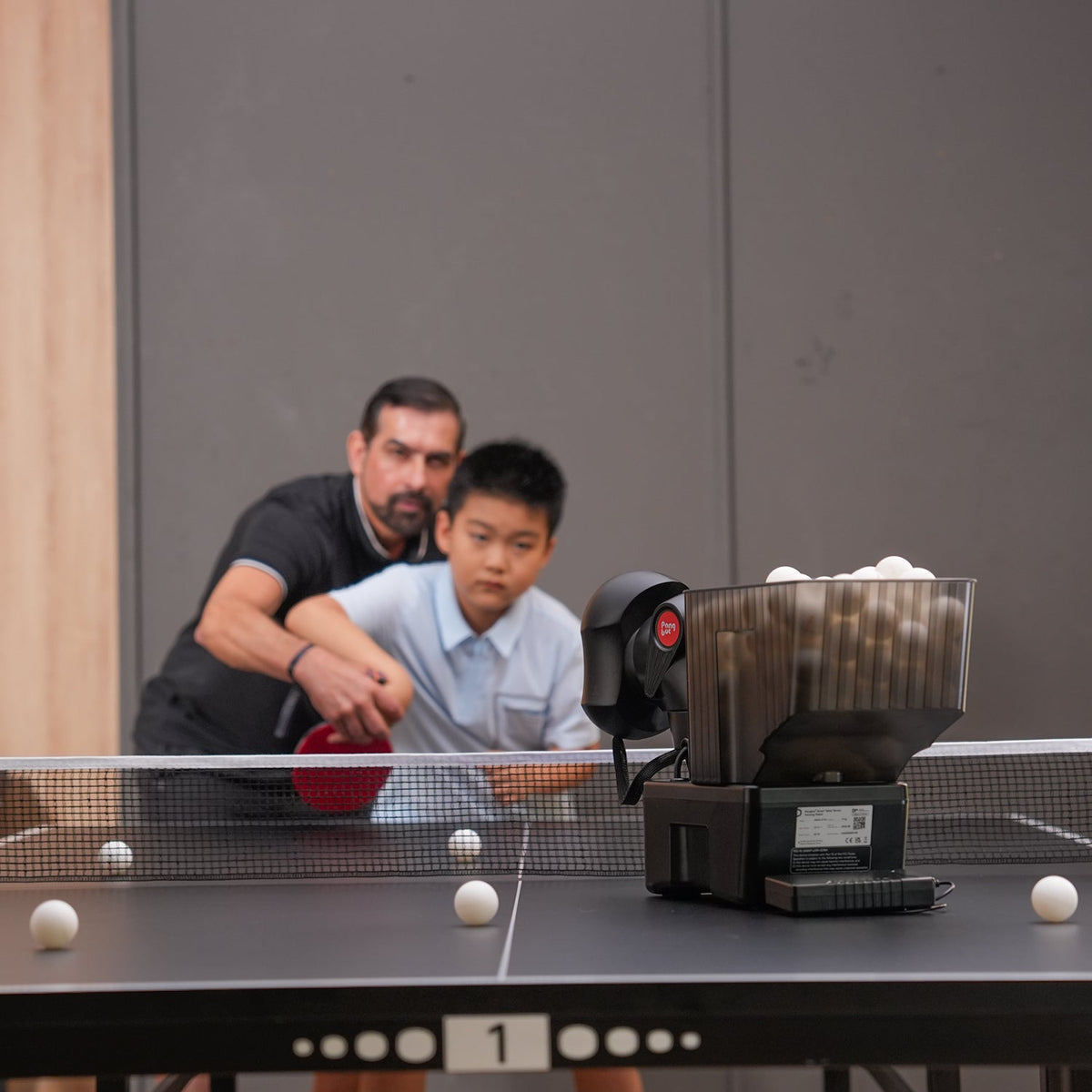
Table tennis is a spin sport, so read the spin figures first. Robots quote maximum spin in revolutions per second and the number of spin types or the range of spin axis they can produce. Two-wheel serving heads generate spin by running the wheels at different speeds; a head that can also rotate its side-spin axis produces the full circle of spins. The PONGBOT Nova S Pro produces 9 spin types (top, under, left, right, the four diagonals, and no spin) at up to 60 rps with a 180-degree manual side-spin adjustment; the Omni S Pro and Halo S Pro produce 360-degree spin at up to 100 rps with a 135-degree automatic side-spin range and switch spin type in 0.66 seconds, which is what lets a drill alternate topspin and backspin at rally tempo.
Ball speed is quoted in meters per second, and the range matters more than the top: 2 to 15 m/s on all three PONGBOT robots covers a gentle push and a full-pace drive. Frequency is balls per minute; 30 to 90 per minute in 11 levels is the common range. Level counts (21 speed levels, 23 spin levels on the Omni and Halo) tell you how finely a drill can be tuned.
Placement and oscillation
Oscillation is the robot moving its aim between balls. On a portable robot the head is positioned by hand (the Nova S Pro swings 44 degrees left to right and 50 degrees up and down at its mechanical stops, and drills set spin, speed, and placement in the app). The Omni S Pro and Halo S Pro oscillate automatically and continuously across the same 44-degree left-right range and a 60-degree up-down range, so one drill can scatter balls across the full table, alternate forehand and backhand, or step through a fixed sequence with no manual adjustment. The Halo adds the floor stand's three positions (center of the baseline, or the middle of the left or right side), which changes the angle every ball arrives from and is the closest a robot gets to an opponent who moves.
Ball capacity and recycling
Hopper size decides how long you play before you pick up: 150 balls on the Nova S Pro, 250 on the Omni S Pro and Halo S Pro. The bigger number is only half the story. The Omni and Halo ship with an integrated recovery net that spans the end of the table, catches the balls you return, and feeds them back into the hopper, so a session runs until you stop rather than until the hopper empties. The Nova S Pro has no built-in net; PONGBOT sells a collection net separately. All three use standard 40+ balls, which are not included: the capacity figures are hopper sizes, not ball counts in the box.
Controls: app, remote, and touchscreen
Every PONGBOT table tennis robot is controlled from the PONGBOT app over Bluetooth, where you pick preset drills, build custom ones (spin, speed, placement, and oscillation per ball, with each shot visualized), and update firmware over the air. The difference is the second controller. The Nova S Pro includes the N-Control S, a small remote for starting, stopping, and stepping through drills without your phone. The Omni S Pro and Halo S Pro include the E-Pad S: a 5-inch touchscreen with its own 2,100 mAh battery that runs the built-in library, custom programs (60 groups of 10 balls), and trajectory previews on its own, and syncs custom drills from the app. Drill counts scale with the model, from 264+ on the Nova to 522+ on the Omni and 702+ on the Halo, all editable.
Power, tables, and setup space
Table tennis robots run from mains power: each PONGBOT robot includes a 100 to 240 V adapter and runs at 24 V, and only the Nova S Pro offers an optional power bank for up to 3 hours of cordless play. Plan a socket near the far end of the table. The Nova sits on any table; the Omni clamps to the table end with four net clamps and needs the end of the table clear; the Halo needs floor space beside the table for its 320 x 330 mm base and 1,083 mm height, and rolls out of the way on wheels when you play a person. Under-14s should be supervised with the fixed models per PONGBOT's manual.
What table tennis robots cost
Our table tennis lineup runs from the PONGBOT Nova S Pro under $500 to the Omni S Pro and Halo S Pro between $1,000 and $2,000, all sold at PONGBOT's minimum advertised price. The step from the Nova to the Omni buys 100 rps spin with full 360-degree control, automatic oscillation, the recovery net, a 250-ball hopper, and the E-Pad S; the step from the Omni to the Halo buys the floor stand's three serving positions and a larger drill library on the same serving head. PONGBOT covers each robot for 1 year on the main unit and accessories and 3 years on the core motors, with repair centers in California and Germany. Standard shipping is free, Shop Pay Installments powered by Affirm can split the purchase into four interest-free payments at 0% APR, and our price match policy applies to verified lower prices from authorized retailers.
What to look for by player
| Who you are | What to look for | Why it matters |
|---|---|---|
| Beginner or family | A portable robot with simple presets and a low frequency setting | Consistency and contact come first; 30 balls a minute is plenty |
| Club player working on spin | 100 rps with 360-degree spin and a fast spin switch | Reading and returning heavy, changing spin is what separates levels |
| Player training footwork | Automatic oscillation with a full-table sweep | The robot should move you; a fixed placement trains one stroke only |
| Serve-return practice | A robot that can serve from the net or from the sides | Short serves come from near the net; wide serves come from the sides |
| Long solo sessions | A 250-ball hopper with a recovery net | Ball pick-up is the time sink; recycling removes it |
| Coach or club | A dedicated touchscreen controller and a 500+ drill library | Drills should run from the table without a phone in the way |
| Small room or shared table | A portable robot that packs away | A clamp-on or floor model needs its space every session |
The table tennis robots we carry
PONGBOT: portable, clamp-on, and floor-standing robots on one app
The PONGBOT Nova S Pro is the portable robot: 4 kg, 465 x 325 x 176 mm, set up in under five seconds anywhere on the table including at the net, 9 spin types at up to 60 rps, 2 to 15 m/s, 30 to 90 balls a minute, a 150-ball hopper, a triple anti-jam feed, 264+ drills, and the N-Control S remote, with an optional power bank for cordless play. The Omni S Pro clamps to the table end and steps up to 100 rps with 360-degree spin, a 0.66-second spin switch, automatic oscillation, a 250-ball hopper with an integrated recovery net, and the included E-Pad S touchscreen with 522+ drills. The Halo S Pro puts the same serving head on a wheeled floor stand with three serving positions and 702+ drills. All three share the PONGBOT app, over-the-air updates, and PONGBOT's warranty of 1 year on the unit and 3 years on the core motors; Olympic champion Zhang Jike is the brand's ambassador. Our PONGBOT comparison lines them up. Best for: the Nova for portability and price, the Omni for a fixed home or club station, the Halo for varied serving angles.
Table tennis robots in store
Setting up and using a table tennis robot
Setup and the first session
Unbox on the table you will use. For the Nova S Pro, set the robot at the far end line (or at the net for short-ball work), connect the adapter, and pair the app and the N-Control S. For the Omni S Pro, fit the four net clamps and the recovery net across the end of the table, clamp the robot in the center of the end, connect the adapter, and charge the E-Pad S over USB-C. For the Halo S Pro, assemble the stand per the manual, fit the recovery net, roll the stand to the center of the baseline, and connect the adapter. Pair over Bluetooth, run the firmware update, fill the hopper with clean 40+ balls, and run a preset drill at low frequency before touching spin.
Building drills that actually improve you
Use presets to learn what the settings do, then build your own: a custom drill sets spin, speed, and placement for each ball in a sequence, and the app shows the trajectory. Alternate two placements before you randomize, add spin changes once footwork is settled, and keep a serve-return drill at the net position (Nova) or from the side positions (Halo) in the rotation. Save custom drills to the E-Pad S on the Omni and Halo so they run from the table without a phone.
Session habits
Use one grade of ball and pull cracked or dented balls, which jam feeders and fly unpredictably. Keep the recovery net taut on the Omni and Halo so returns roll to the hopper. Wipe the squeeze wheels when feeds start to vary; rubber picks up dust and ball residue. Power the robot down at the adapter after each session and charge the E-Pad S so it is ready next time.
Maintenance
Table tennis robot maintenance
| Task | How often | Notes |
|---|---|---|
| Wipe the squeeze wheels | Weekly | Dust and ball residue change spin and speed; use a dry or slightly damp cloth |
| Clear the hopper and feed path | Weekly | Remove cracked balls and debris; the Nova's triple anti-jam feed still needs clean balls |
| Check clamps and the recovery net | Monthly | Re-tighten the Omni's net clamps; look for sagging mesh on the Omni and Halo |
| Inspect the stand and wheels (Halo) | Monthly | Keep the wheels clean so the stand rolls into the same position each time |
| Charge the E-Pad S | After each session | It has its own 2,100 mAh battery and charges over USB-C |
| Firmware | When the app prompts | Updates add drills and refine ball control |
| Warranty parts | As needed | The squeeze wheel is a 1-year warranty item; core motors are covered for 3 years |
Safety
Keep fingers away from the squeeze wheels while the robot is powered, never look into the launch head, and supervise players under 14 on the fixed models, as PONGBOT's manual requires. Route the adapter cable so nobody trips on it at the end of the table.
First-week checklist
- Run the firmware update in the app before the first drill
- Fit the recovery net (Omni, Halo) and check it is taut before filling the hopper
- Start at 30 balls a minute, no spin, one placement; add one variable per session
- Build and save one forehand-backhand alternation drill and one serve-return drill
- Charge the E-Pad S after each session (Omni, Halo)
- Pull cracked or dented balls before they jam the feed
- Write down the serial number and keep the receipt with the robot
Buying checklist
- Pick the format first: portable, clamp-on, or floor-standing
- Check maximum spin, spin types or range, and the spin switch time
- Confirm automatic oscillation if footwork drills are the goal
- Decide whether you need a recovery net and a 250-ball hopper
- Check the included controller: remote or touchscreen
- Confirm there is a power socket at the far end of the table
- Budget for 40+ balls; none are included
- Read the warranty: 1 year on the unit, 3 years on core motors
Table tennis robot FAQs
Are balls included?
No. PONGBOT's box lists and manuals include the robot, adapter, controller, and (on the Omni and Halo) the net and clamps, but no balls. The 150 and 250 figures are hopper capacities. Use standard 40+ balls of one grade.
Will a clamp-on robot fit my table?
The Omni S Pro clamps to the end of a standard table with four net clamps and spans the end with its recovery net. PONGBOT does not publish a maximum table thickness, so measure an unusually thick or rolled-edge table before ordering, or email support@roboticsselect.com or call (412) 415-7375, Monday through Friday 9am to 5pm EST and we will check with PONGBOT.
Can I use the robots without a phone?
Yes. The Nova S Pro includes the N-Control S remote, and the Omni S Pro and Halo S Pro include the E-Pad S touchscreen, which runs built-in and saved custom drills on its own. The app is needed to build new drills and to update firmware.
Is a floor-standing robot worth the extra over the clamp-on?
The Halo S Pro and Omni S Pro share the same serving performance. The Halo's stand lets it serve from the center or from either side of the table, which changes the angle of every ball and suits serve-return and wide-ball training, and it carries a larger drill library. If the robot will always sit in the same spot at the end of the table, the Omni does the same job clamped on.
What does the warranty cover?
PONGBOT covers the main unit, the squeeze wheel, and the accessories (adapter, remote or E-Pad S, net, cables, clamps) for 1 year and the core motors for 3 years. Liquid damage, drops, wrong voltage, unauthorized disassembly, and transport damage are excluded. Repair centers are in California and Germany, replacement parts are free during the warranty, and claims go through RoboticsSelect as the authorized dealer: email support@roboticsselect.com or call (412) 415-7375, Monday through Friday 9am to 5pm EST.