

Buying Guide
Tennis Robot and Ball Machine Buying Guide (2026)
Tennis machines changed in two ways at once: cameras and wheels turned the ball machine into a robot that can rally with you, and positioning sensors let a fixed machine react to where you stand. This guide is for players and coaches deciding between the two. We cover ball machines versus rally robots, what speed and spin figures mean at your level, placement, hoppers, batteries, courts, apps, and cost, and how the four machines we carry from Acemate and PONGBOT fit different players.

Two kinds of machine: ball machines and rally robots
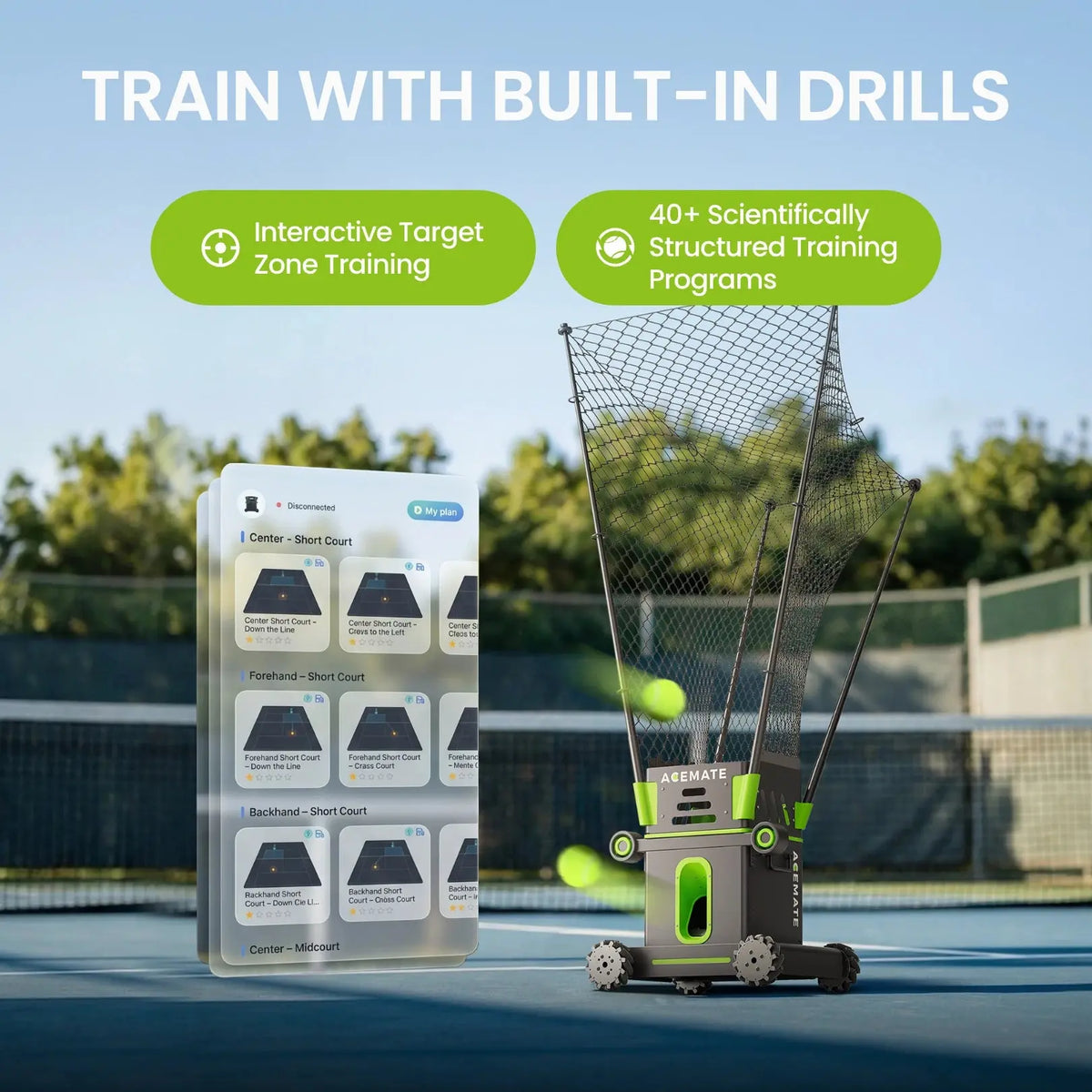
Every product in our tennis collection launches balls at you from a hopper, but they split into two families that train differently. A ball machine stands where you put it and feeds on a program: speed, spin, interval, and placement are set per drill, the machine cycles through them, and you hit. The PONGBOT Pace S and Pace S Pro are ball machines of this kind, with six placement positions and drill libraries in the hundreds. A rally robot adds vision and mobility: the Acemate S10 and S10 Pro watch your shot with binocular 4K cameras, roll across the baseline on mecanum wheels to catch it in a net, and return it, so an exchange continues for as long as your balls land in the target zone you set. The rally robot is the closer stand-in for a hitting partner; the ball machine is the more repeatable feeder for grooving one stroke.
A third idea sits between them: player tracking. The PONGBOT Pace S Pro does not move, but it knows where you are. Two P Station S units clip to the net at the doubles sidelines, a P Tag S clips to your collar, and the machine samples your position 100 times a second so it can feed away from you, wait until you recover to the middle, or run a scored match against a modeled opponent. Decide first which of these three behaviors you want; the rest of the specs follow from it.
Ball speed and spin: match the machine to your level
Feed speed is quoted as a maximum, and the maximum matters less than the range. Most club-level practice happens well under a machine's top speed; a machine that reaches 60 mph (the Acemate S10), 75 mph (the Acemate S10 Pro with ACE+ SHOT), or 80 mph (the PONGBOT Pace S and Pace S Pro) gives an advanced hitter something to reach for and lets you simulate a big first serve. Look at the low end too: the S10 starts at 6 mph and the Pace machines at 15 mph, which is what a junior or a returning player actually needs in week one.
Spin is quoted in revolutions per second. Sixty rps, the figure on the S10 and on both Pace models, is enough to produce a heavy kicking topspin or a skidding slice; what changes the feel of a drill is how fast the machine can switch between them. The Pace S switches spin type in 1.5 seconds, so a topspin-then-slice sequence can run at a realistic rally tempo. Count the shot types as well: the S10 lists topspin, backspin, flat, slice, and lobs to 8 meters; the Pace machines list topspin, underspin, and flat with an 8.1 meter lob; the S10 Pro lists topspin, backspin, and flat with a 1 to 8 meter trajectory height.
Placement, feed interval, and hopper size
Placement is what turns a feeder into a coach. Ball machines describe it as positions and sweep: the Pace S and Pace S Pro cover six positions (baseline middle, right, and left; center-line middle; and two ball-tossing positions) with a 34-degree horizontal swing at each and a 10 to 50 degree elevation, which reaches the whole court. Rally robots describe it as launch range: the S10 aims through 0 to 180 degrees horizontally and 10 to 40 degrees vertically, the S10 Pro through 180 degrees and 7 to 40 degrees, and both let you draw the target zone your own shots must hit for the rally to continue.
Feed interval sets the tempo: 1 to 15 seconds on the Acemate robots, 1.5 to 12 seconds on the Pace machines, and the Pace models add a separate 0 to 9 second combo interval for multi-ball patterns. Hopper size sets how long you hit before you pick up: 80 balls on the S10, 100 on the S10 Pro, 150 on the Pace S and Pace S Pro. A rally robot catches and reuses balls you return into its net, so its hopper empties more slowly than the number suggests.
Batteries and runtime
Every machine here runs on a removable battery, and the honest runtime depends on how hard it is working. Acemate rates the S10 for about 2 to 3 hours per charge on its swappable 36 V 7 Ah pack (241.2 Wh), with a recharge of about 3 hours on the included adapter; the S10 Pro is rated for up to 5 hours in Ball Machine mode with the launch wheels at moderate speed, and less in Rally mode where the base is moving. PONGBOT rates the Pace S and Pace S Pro for up to 8 hours on their 7,800 mAh (198.9 Wh) pack. If you play back-to-back sessions, a second pack is the accessory to buy first; the Acemate Battery is the same pack that ships in the box and swaps without tools. Note that packs of this size exceed the 100 Wh airline limit for carry-on lithium batteries, so plan ground transport for tournaments.
Court surfaces, balls, and weather
All four machines are rated for hard, clay, and grass courts; PONGBOT adds artificial grass and padel courts for the Pace series. The difference is weather: Acemate's robots are for dry conditions only and are not waterproof, and PONGBOT's manual tells Pace owners to avoid high heat, strong wind, rain, snow, and fog and to store the machine indoors, with battery output dropping below 5 C. Treat every tennis robot as fair-weather equipment and keep a cover on it between sessions.
Balls matter more than most buyers expect. PONGBOT recommends pressureless balls for the Pace machines (pressurized and padel balls are acceptable; low-compression balls are not recommended), because a launcher wears pressurized balls quickly and inconsistent balls produce inconsistent feeds. The Acemate S10 accepts standard tennis balls including junior balls, and since it reuses the balls you return, a single set lasts a long session.
Apps, drills, and controls
The app is where you will spend your setup time, so check what it runs on. The Acemate Tennis app runs on iPhone, iPad, Apple Watch, and Android (iOS 15 or later), and the S10 Pro adds Wear OS and on-court gesture control, so you can start the next feed without walking to your phone. The Pongbot Tennis app runs on iOS and Android over Bluetooth, and both Pace machines also ship with a handheld remote: the P Control S (a 2-inch screen that stores 300 drill groups) on the Pace S and the P Control S Pro on the Pace S Pro.
Drill libraries are large everywhere (40+ built-in drills on the S10, 100+ on the S10 Pro, 396+ on the Pace S, 564+ on the Pace S Pro), and every machine lets you build custom drills that set speed, spin, placement, and interval per ball. The more useful question is what the machine records: the Acemate app logs scoring and shot tracking for each session and sends a summary to Apple Watch, and the Pace S Pro's Match Challenge scores you against an NTRP 1.0 to 7.0 opponent modeled on 10,000+ real matches. Firmware updates arrive over the air on all of them.
Size, weight, and getting it to the court
A tennis robot lives in a car trunk, so weight and folded size decide whether it gets used. The Acemate S10 weighs 17.8 kg (39.2 lb) and folds to 45 x 55 x 50 cm with the net down; the S10 Pro is 23 kg (50.7 lb) at 557 x 501 x 642 mm stowed and deploys to 1,964 mm on its support poles. The Pace S and Pace S Pro are 22 kg at 700 x 370 x 560 mm. All of them are a one-person lift with a two-hand carry; if you play at a club with a storage room, the numbers matter less than if you load the car three times a week.
What tennis robots cost
Our tennis lineup runs from the PONGBOT Pace S under $1,000 through the Pace S Pro and the Acemate S10 between $1,000 and $2,000 to the Acemate S10 Pro above $2,000, with accessories (a spare Acemate battery, replacement poles, net, and wheels) under $200 each. Within each brand, the price step buys a specific capability: on PONGBOT it buys player tracking and the Pro-only modes; on Acemate it buys the 75 mph launcher, the 100-ball hopper, five training modes, and the Battle AI. PONGBOT products are sold at PONGBOT's minimum advertised price. Acemate covers its robots for one year from delivery; PONGBOT covers the Pace machines for 12 months with 6 months on the battery. Standard shipping is free, Shop Pay Installments powered by Affirm can split the purchase into four interest-free payments at 0% APR, and our price match policy applies to verified lower prices from authorized retailers.
What to look for by player
| Who you are | What to look for | Why it matters |
|---|---|---|
| Beginner or junior | A low minimum speed (6 to 15 mph), a slow feed interval, and simple app presets | The first month is about contact and footwork, not pace |
| Club player grooving strokes | Programmable placement, spin switching, and a 100+ ball hopper | Repetition wins; the machine should run a pattern for 10 minutes without a refill |
| Player who wants a hitting partner | A rally robot with vision and a catching net | Only a robot that returns your ball trains decision-making and consistency in an exchange |
| Player who trains alone often | Player tracking or an AI opponent mode | The machine should react to you: feed away from you, wait for recovery, keep score |
| Serve practice | A Serve mode or a serve-trigger sensor | The next ball should arrive after your serve, not on a timer |
| Advanced hitter or coach | 75 to 80 mph top speed and 60 rps spin | Simulating a big serve or a heavy topspin ball needs headroom above match pace |
| Frequent traveler | Weight under 20 kg, a folding net, and a spare battery | The robot that stays in the trunk is the robot that gets used |
The tennis robots we carry, by brand
Acemate: real-rally AI tennis robots
The Acemate S10 is a robot that plays: dual 4K cameras track your shot, the base moves at up to 5 m/s to catch it in a 170 cm net, and it returns topspin, backspin, flat balls, slices, and lobs at 6 to 60 mph with up to 60 rps of spin, from an 80-ball hopper on a swappable battery good for about 2 to 3 hours. The Acemate S10 Pro, sold on pre-order with an estimated shipping start around October 30, 2026, adds the 75 mph ACE+ SHOT launcher, a 100-ball hopper, Rally, Drill, Serve, Ball Machine, and Battle modes with a four-style AI opponent, 100+ preset drills, gesture control, and up to 5 hours in Ball Machine mode. Both work on hard, clay, and grass courts in dry conditions and carry a one-year limited warranty. Our S10 vs S10 Pro comparison lays them out, and the battery, poles, net, and wheels fit either robot. Best for: players who want a hitting partner rather than a feeder.
PONGBOT: AI tennis ball machines with player tracking
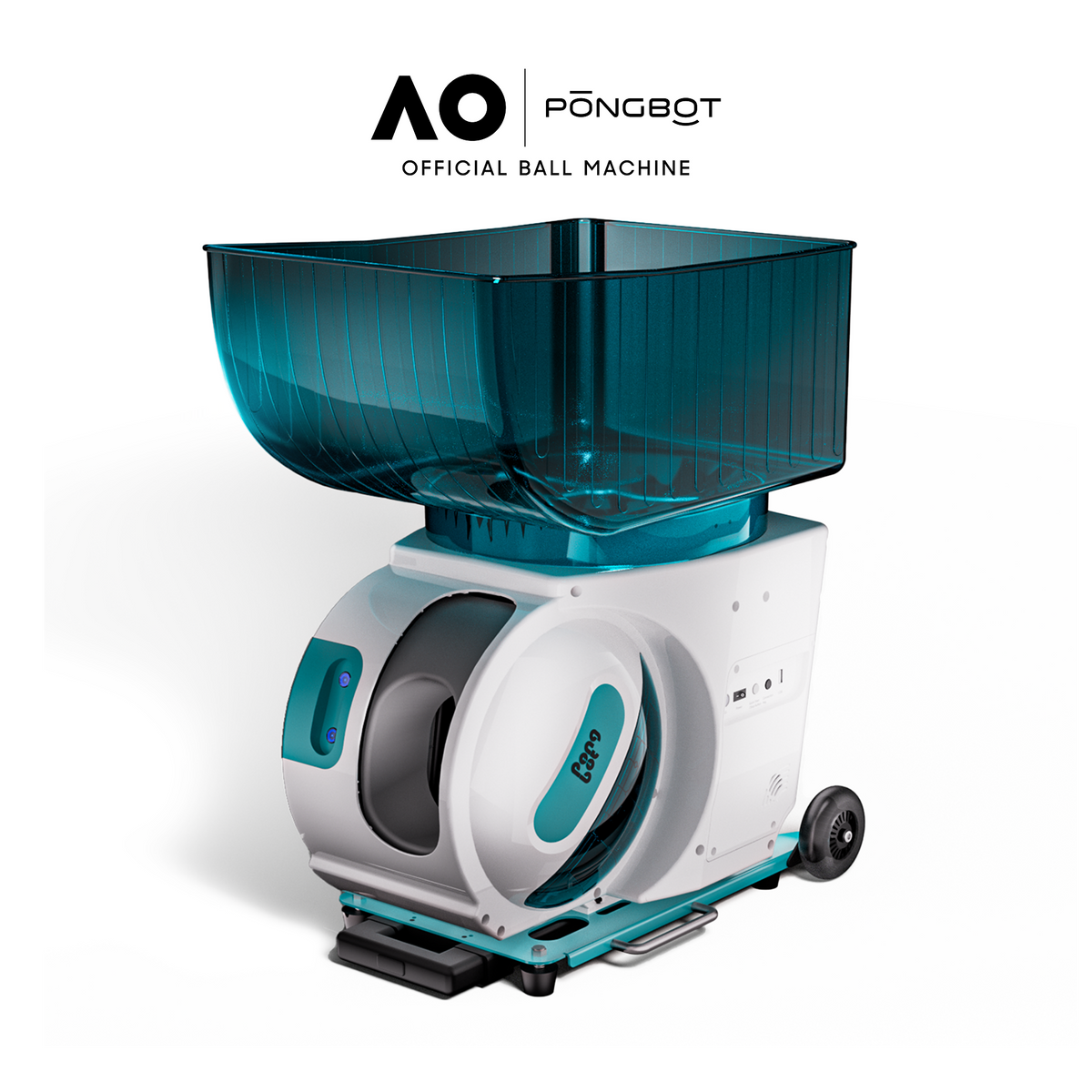
The PONGBOT Pace S is a 22 kg ball machine that feeds at 15 to 80 mph with topspin, underspin, or flat balls at up to 60 rps and a 1.5-second spin switch, from six placement positions with a 34-degree swing each, through a 150-ball hopper, with 396+ preset drills, the P Control S remote, and up to 8 hours per battery; add the T Serve S sensor and it feeds the next ball when it recognizes your serve. The Pace S Pro is the same machine with Movement Tracking: two P Station S units on the net and a P Tag S on your collar give the machine your position at 100 Hz, which enables Adaptive Rally, Recovery Trigger, Match Challenge against NTRP 1.0 to 7.0 opponents, and Arena of Dash, with 564+ drills and the P Control S Pro remote. Both play on clay, hard, natural and artificial grass, and padel courts, and PONGBOT is an official partner of the Australian Open. Our PONGBOT comparison covers both. Best for: programmable repetition, and, on the Pro, solo training that reacts to where you are.
Tennis robots and ball machines in store
Setting up and using a tennis robot
Setup and the first session
Charge the battery fully before pairing. Place the machine at the baseline center for the first session: a rally robot needs about 2 m of clear space behind the baseline to move in (the S10's zone is adjustable in the app), and a ball machine needs a level spot and a clear line to every placement position. Raise the catching net on a rally robot to its full height and check that the poles are locked. Pair over Bluetooth in the app (the Pace machines also auto-pair their remote), run the firmware update the app offers, and load the hopper with clean, dry balls of one type. Start a preset drill at low speed, stand where the app shows the landing zone, and adjust elevation before speed.
Rally zones and player tracking
On an Acemate robot, the target zone is the rule of the rally: your shot must land in it for the robot to catch and return. Start with a large zone and shrink it as consistency improves. On the PONGBOT Pace S Pro, clip the two P Station S units to the net where it meets the doubles sidelines, one left and one right, charge and clip the P Tag S to the middle of your collar, and let the app confirm tracking before starting Adaptive Rally or Match Challenge. Tracking features are Pro-only on the PONGBOT line and are not available on the Pace S.
Session habits that keep the machine consistent
Use one ball type per session and pull balls that have gone soft or fuzzy; a launcher feeds only as consistently as its balls. Keep the hopper topped up rather than running it dry, which on the Pace machines keeps the feed rhythm steady. Swap or charge the battery after each session so it is never stored empty, and on hot days give the machine shade between sets. Wipe clay dust off the wheels and launch head before packing up.
Maintenance and storage
Tennis robot maintenance
| Task | How often | Notes |
|---|---|---|
| Wipe the launch wheels and camera lenses | After every session | Clay and ball fuzz on the wheels change feed speed; a dirty lens degrades tracking on a rally robot |
| Inspect balls | Weekly | Replace soft, wet, or bald balls; pressureless balls last longest in a launcher |
| Check the net and poles (rally robots) | Weekly | Look for frayed mesh and loose pole locks; the Acemate poles and net are sold as replacement parts |
| Inspect wheels | Monthly | Mecanum wheels wear on hard courts; Acemate sells a complete set of four |
| Battery | After every session and monthly in storage | Charge after use, store at partial charge indoors, never leave a pack in a hot car |
| Firmware | When the app prompts | Updates add drills and fix tracking; run them on Wi-Fi before you leave for the court |
| Storage | Off-season | Indoors and dry; both brands treat the machines as fair-weather equipment |
Safety
A launcher fires at up to 80 mph: never look into the launch head while the machine is on, keep children and spectators behind the machine, and stop the feed before walking to the net. On a rally robot, remember that the base moves; keep bags, spare balls, and people out of its movement zone behind the baseline. Do not use any tennis robot in rain or on a wet court.
First-week checklist
- Charge the battery fully and run the app's firmware update before the first session
- Set up at the baseline center with 2 m of clear space behind a rally robot
- Load the hopper with one type of clean, dry ball (pressureless for PONGBOT)
- Start every new drill at half speed and a slow interval, then raise speed last
- Rally robots: set a large target zone first and shrink it over the week
- Pace S Pro: fit both P Station S units and the P Tag S before using tracking modes
- Wipe wheels and lenses after each session and charge the pack before storage
- Write down the serial number and keep the receipt with the machine
Buying checklist
- Decide between a ball machine, a rally robot, or a tracking ball machine before comparing specs
- Check the minimum speed as well as the maximum
- Count shot types and the spin switch time, not just the rps figure
- Match hopper size to how long you want to hit between pick-ups
- Confirm the app runs on your phone and watch
- Plan a second battery if you play back-to-back sessions
- Check folded size and weight against your car and your storage
- Read the warranty terms: both brands exclude consumables and water damage
Tennis robot FAQs
Is a tennis robot better than a ball machine?
They train different things. A ball machine gives repeatable feeds for stroke work and footwork patterns. A rally robot returns the balls you hit, so it trains consistency, shot selection, and recovery in an actual exchange. Many players want both behaviors; the Acemate S10 Pro includes a Ball Machine mode alongside Rally mode, and the PONGBOT Pace S Pro adds player tracking to a ball machine so it reacts to your position without moving itself.
Do I need Wi-Fi at the court?
No. Control is over Bluetooth on all four machines. The Acemate robots also use 5 GHz Wi-Fi between the robot and your phone for video and updates, and firmware updates for any of them are easiest on home Wi-Fi before you leave.
Can they be used on a public court?
Yes, on any hard, clay, or grass court in dry conditions, as long as the club allows machines. A rally robot needs about 2 m of clear space behind the baseline. Check court rules on ball machines and bring a cover; none of these machines should sit in rain.
How many balls should I buy?
Fill the hopper and keep a spare set: 80 to 100 balls for the Acemate robots (which also catch and reuse your returns), 150 for the Pace machines. PONGBOT recommends pressureless balls, which hold their bounce far longer in a launcher than pressurized balls.
What do the warranties cover?
Acemate covers the S10 and S10 Pro with a one-year limited warranty from the date you receive the robot; batteries and consumables, falls, water, and unauthorized repair are excluded. PONGBOT covers the Pace S and Pace S Pro for 12 months and the battery for 6 months, pays one-way shipping on covered repairs, and services U.S. units from a California repair center. RoboticsSelect is the authorized dealer for both brands: email support@roboticsselect.com or call (412) 415-7375, Monday through Friday 9am to 5pm EST.